Printing Your Annual Pass for the Tow Vehicle
An annual pass for riding South Carolina’s national forest OHV trails is easy to forget when it stays buried in an email or glove box. Printing a clean copy before you tow makes it easier to show the pass at the trailhead and keep it from getting lost on the ride. Here’s how to prepare it, where to display it, and what to check before leaving home.
What your annual pass is for
A forest OHV pass is permission to use the trails covered by its terms; it is not a vehicle registration, a title, or a general permit to ride anywhere in South Carolina. The pass applies only where the issuing authority says it is valid. Before you print, read the pass details and confirm that they cover the riding area and dates you have planned.
South Carolina’s national forest OHV passes have their own rules for who the pass belongs to and how it must be displayed. In particular, an annual or season pass is associated with the rider rather than being a transferable pass for any person or vehicle. That distinction matters when several people share a tow vehicle, or when one rider brings more than one machine. For a broader overview, see South Carolina National Forest OHV Passes.
A pass displayed in the tow vehicle is not a plate for the ATV or UTV. It does not make a machine street legal, replace required ownership paperwork, or authorize riding on roads that are otherwise closed to off-road vehicles. Keep trail access separate from the rules that apply to your machine and where you can operate it. South Carolina Passes Cover All Four Trails explains the pass system’s scope and rider-based structure.
The word “annual” can also lead to confusion. A forest season pass may have a validity period or other conditions set out by its seller. A pass for a private riding park may work differently, and a registration plate for a street-legal vehicle is a separate matter altogether. Do not assume that one pass covers all three. Check the product description and terms for the exact pass you purchased.
| Item | What it generally does | What to check |
|---|---|---|
| Forest annual or season OHV pass | Provides access under the pass terms for covered forest OHV trails | Valid dates, covered locations, rider name or eligibility, and display instructions |
| Day pass | Provides access under the day-pass terms | Date, vehicle or plate details, and display instructions |
| Private riding park pass | Provides access under that park’s rules | Park-specific vehicle, rider, age, and display requirements |
| Title or registration | Establishes ownership or authorizes particular vehicle use | Whether the machine needs the document for its intended use |
The table is a practical distinction, not a substitute for the terms printed on your pass. If the pass instructions conflict with a general tip, follow the pass instructions and ask the issuing authority if anything is unclear. The article South Carolina’s Day and Season Forest Passes covers the difference between day and season access in more detail.
Print and prepare the pass before you tow
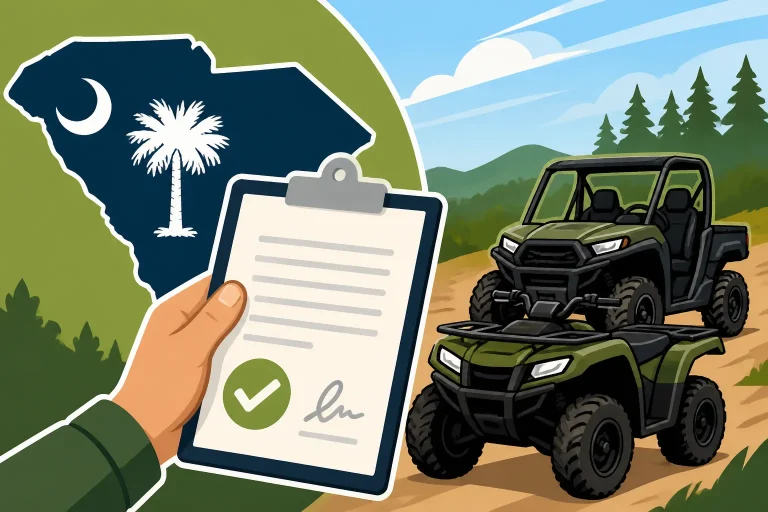
The safest approach is to print the pass before the trip, while you have access to a reliable printer and enough time to fix a problem. A phone image can be useful as a backup, but it may not replace a printed pass if the terms call for one to be displayed in the tow vehicle. Treat the printed copy as the primary copy unless the current instructions specifically say another format is accepted.
-
Find the original pass confirmation or account. Use the same official account or transaction record you used to obtain the pass. If you bought it through an online pass platform, sign in and locate the pass or receipt. South Carolina forest passes are offered through the authorized online process; confirm the current purchasing and printing instructions at the official source. See South Carolina Passes Sold Only Online for related details.
-
Check that you have the right pass. Read the pass type, validity period, covered area, and any name or rider information. Make sure it is an annual or season pass rather than a day pass, and that it applies to the trail system you intend to visit.
-
Use the print option in the pass account or confirmation. If a print-ready file is provided, open it and review the full page before printing. If the pass is supplied as part of a confirmation page, make sure the identifying details and any display instructions appear in the printed copy.
-
Print a legible copy. Use a standard paper size and check that text, dates, and any identifying details are readable. Avoid cropping the edges or shrinking the page so much that information becomes difficult to see. Color printing is not automatically necessary; use the format specified by the pass instructions.
-
Check the page before you leave. Confirm that the printed information matches the pass record. If the document is cut off, faint, or missing a page, print it again rather than hoping it will be accepted at the trailhead.
-
Keep a backup. Save the confirmation or pass file on your phone and, if practical, in an email or secure account you can access later. A backup can help if the paper copy is damaged or misplaced, but do not rely on it as a substitute for the required display.
-
Put the paper copy where it can be seen. The annual pass is intended to be displayed in the tow vehicle under the applicable instructions. Keep it in a visible place inside the vehicle, not attached to the ATV or UTV unless the pass terms specifically direct otherwise.
The pass document may contain personal or purchase information. Before printing from a shared computer or printer, check the page, collect the paper promptly, and avoid leaving a copy where someone else can access it. If you print multiple copies, keep track of them and do not treat spare copies as permission for another rider to use a pass that is non-transferable.
A clear protective sleeve can help keep the paper from fading, getting wet, or tearing. It does not need to be a special product: a transparent document sleeve or a simple holder can work, provided it does not make the pass unreadable or cover details an inspector may need to see. These are commonly sold at office-supply stores and on Amazon. Avoid taping over printed information or laminating the pass unless the issuer’s instructions allow it; some passes may need to remain in a particular format.
Display it in the tow vehicle
The key practical point is to keep the printed pass in the tow vehicle and make it visible according to the pass instructions. A pass stored in a wallet, a closed glove compartment, or a phone may be harder to verify than one displayed where it can be readily seen. The exact location and method should come from the current pass rules, so follow those rather than assuming every trailhead uses the same procedure.
Before driving away from home, place the pass so it is not hidden by a sunshade, paperwork, a parking permit, or other items. Make sure it can be seen from outside the vehicle if the instructions call for display. Do not place it where it blocks the driver’s view or interferes with safe operation. If the instructions specify a particular window or placement, use that spot.
A few simple habits help:
- Keep the pass with the tow vehicle that is going to the trailhead.
- Display the original printed copy in the instructed location.
- Keep the printed details facing outward and readable, if that is what the instructions require.
- Secure the paper so it will not fall, curl, or blow away when a door or window is opened.
- Keep a digital backup separate from the displayed copy.
- Remove or replace an expired pass rather than leaving several old passes visible.
Do not move the pass into the ATV’s storage compartment once you unload. The machine is not the tow vehicle, and a pass intended to be displayed in the tow vehicle may not be properly displayed on the machine. If you ride away from the staging area, leave the pass in the tow vehicle as directed and carry any separate documents you are required to have with you.
This setup can feel counterintuitive because the vehicle carrying the pass may not be the vehicle used on the trail. The pass system distinguishes the rider, the tow vehicle, and the off-road machine. The display rule makes the pass available for checking at the staging area while the rider uses the trail. It does not turn the tow vehicle’s plate into an OHV permit or make the pass transferable between people.
The day-pass process may use different information, including details associated with the tow vehicle. Do not apply a day-pass display rule to an annual pass without checking. The distinction is covered in South Carolina Day Passes Tied to a Plate. For the wider set of display conditions, see South Carolina Pass Display Rules.
If your party travels in more than one tow vehicle, decide before departure which vehicle will carry the pass and how each rider’s pass requirements will be met. A single printed pass should not be treated as a group permit when the pass terms identify it with one rider. Each person should review what they personally need, rather than assuming the driver’s copy covers everyone in the vehicle.
Common printing and display problems
Most pass problems are avoidable if you check the document before loading the machines. The most common mistake is not a complicated technical issue; it is arriving with a pass that is missing, unreadable, expired, or intended for a different kind of access.
The email is still in your inbox
A purchase confirmation is useful evidence of a transaction, but it may not be the pass itself. Look for the actual pass document and its display instructions. If you are unsure whether the confirmation is sufficient, contact the pass provider before your trip rather than relying on a verbal explanation at the trailhead.
The printout is hard to read
A weak printer, an incomplete page, or a small mobile screenshot can make key information difficult to verify. Reprint the document at a readable size. If you cannot access a printer at home, arrange to print it before heading to a remote trail area. A phone screen may be difficult to read in bright light, and a poor signal may make it impossible to retrieve the document at the site.
The pass is not for the planned trail
A pass can be valid and still not cover the place you plan to ride. Check the listed trail system and any area restrictions before you leave. South Carolina forest areas may have their own access conditions, and a trail may also be temporarily closed. Confirm current trail status separately from pass validity. South Carolina Trail Conditions Before You Haul explains why checking conditions matters.
The pass has expired or the dates are unclear
Look closely at the validity dates or period shown in the official record. Do not infer that “annual” means a full year from the date you happen to ride, or that a pass remains valid simply because you bought it recently. Follow the stated dates and contact the issuer if the document is unclear.
A rider assumes someone else’s pass covers them
A pass associated with one person should not be shared just because the riders use the same trailer or tow vehicle. Check whether each rider needs their own pass and whether the pass can be transferred. South Carolina’s season-pass rules are rider-based and non-transferable; review South Carolina Season Passes Are Per Person and South Carolina Passes Are Non-Transferable before planning a group trip.
The paper copy gets wet or goes missing
A clean plastic sleeve or document holder can protect the copy, but keep a digital backup as well. If the original is lost, use the official account or support channel to determine whether you can reprint it. Do not make a replacement by editing a screenshot or copying another rider’s pass. The replacement should come from the authorized source.
The pass is hidden after unloading
It is easy to put the pass away when you unload, then forget to put it back on display. Make a quick check before leaving the staging area: confirm that the pass remains in the tow vehicle, is still visible as required, and has not been moved with riding gear. If you relocate the truck during the day, check it again.
The pass is mistaken for ownership proof
A trail pass does not prove you own the ATV or UTV, and ownership paperwork does not provide forest trail access. Keep the different documents in their proper roles. For information on what proof of ownership may be useful while riding, see [South Carolina Proof of Ownership on the Trail].
If the online record is unavailable, the pass was purchased under a different account, or the print button does not work, resolve the issue before travel whenever possible. Keep the purchase record and relevant account details available when contacting the provider. Do not assume that an expired pass, a receipt without a pass, or a screenshot of another person’s pass will be accepted.
A quick pre-trip checklist
Use this short checklist the night before the trip or while loading the tow vehicle:
- Confirm the pass covers the planned trail area and date.
- Confirm which rider the annual pass is issued to.
- Print the pass from the official record, not from a cropped or edited image.
- Check that the entire page and all important details are readable.
- Put the pass in the required display location in the tow vehicle.
- Save a digital backup in case the paper is damaged or misplaced.
- Check trail conditions and closures separately.
- Make sure every rider understands whether they need an individual pass.
- Keep the pass separate from vehicle registration and ownership documents.
- Recheck the display after unloading or moving the tow vehicle.
If you are buying a pass shortly before departure, allow enough time to access the confirmation, print the document, and correct any account or payment issue. The purchase process and display terms can change, so use the current official information rather than an old printout or advice intended for a different pass type. How to Buy a South Carolina Forest Pass covers the purchase side of the process.
For a first visit, it can also help to write down the official pass support contact or keep the purchase account accessible. That is more useful than waiting until you reach a trailhead with limited connectivity. If a ranger or fee-check staff member asks to see the pass, have the tow vehicle’s copy ready and answer questions about the pass truthfully. A readable, properly displayed copy makes the check simpler, but it does not override other access rules.
Frequently Asked Questions
Does the annual pass go on the ATV or in the tow vehicle?
Follow the pass instructions. South Carolina annual forest passes are displayed in the tow vehicle under the applicable display rules; they are not automatically a decal for the ATV or UTV. Check the current terms for the required location and method.
Can several riders use one annual pass?
Do not assume so. Season passes are associated with an individual rider and are non-transferable under the pass rules. Each rider should confirm their own pass requirements before the trip.
Is a phone screenshot enough?
It may be useful as a backup, but do not rely on it as the required display if the pass terms call for a printed copy. Print the pass and check the current instructions for accepted formats.
Does the forest pass let me ride on any South Carolina trail?
No. The pass applies only to locations and dates covered by its terms. Private parks, public roads, and other riding areas have separate access rules. Confirm both the pass coverage and current trail status before traveling.
What should I do if I cannot print the pass?
Try the official account or confirmation again and contact the pass provider before leaving. If the rules require a paper display, a receipt or phone image may not be enough. Do not edit, reproduce, or use another person’s pass.
Disclaimer
This article is for general informational purposes only and does not constitute professional advice. Laws, prices and regulations vary by location and change over time. Consult a qualified professional for guidance on your specific situation.