Radiator Screens for Pine Straw in Sumter National Forest
Pine straw can pack into an ATV or UTV radiator surprisingly quickly on a wooded ride in Sumter National Forest. Once needles and leaf litter cover the cooling fins, airflow drops and engine temperature can climb, especially at low speed. This guide explains how to choose and fit a radiator screen, when to clean it, and how to spot overheating before it ruins the ride.
Why pine straw is hard on ATV and UTV radiators
How needles block cooling airflow
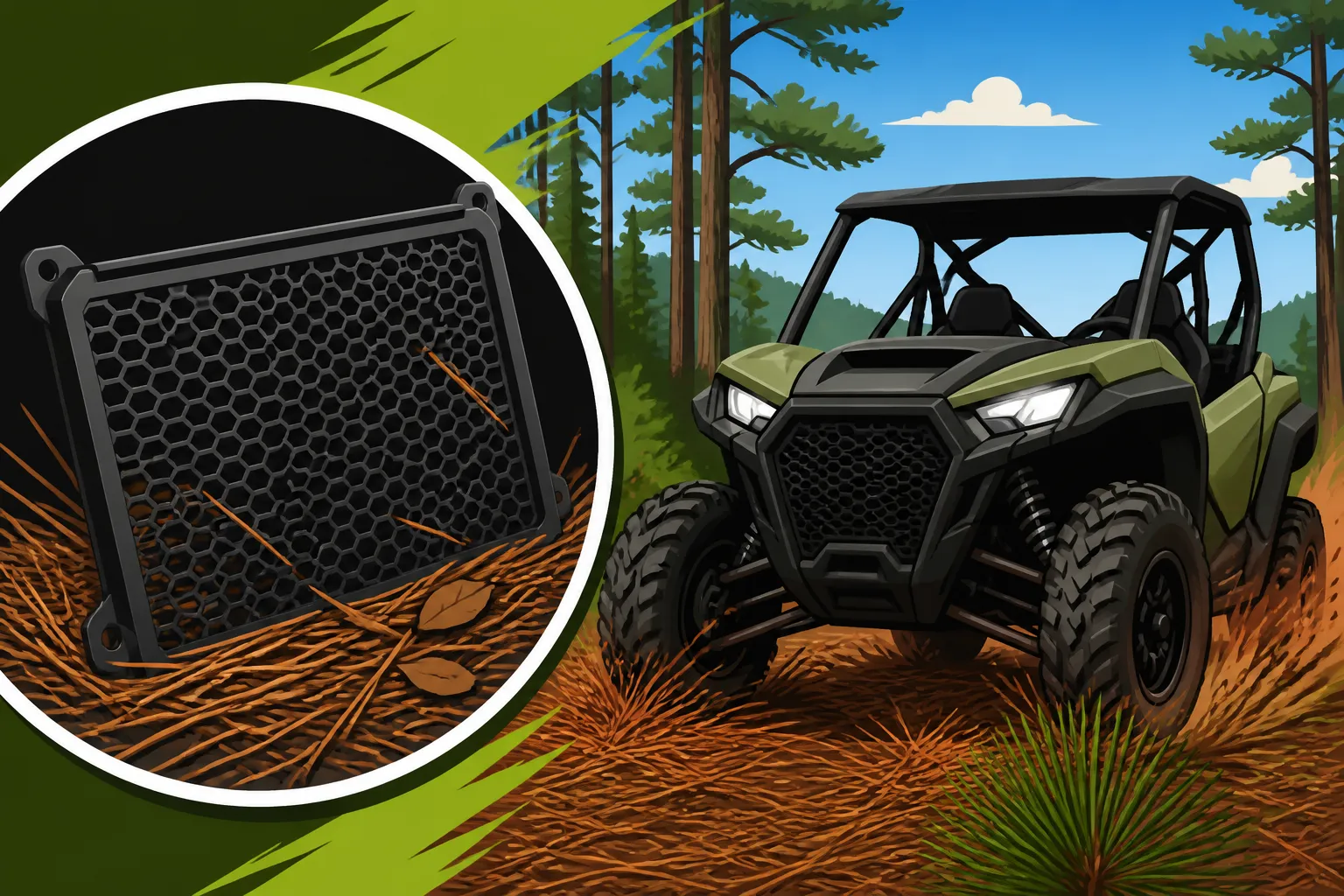
A radiator depends on air moving through narrow spaces between its fins to carry heat away from the engine coolant. Pine needles, bits of leaves, grass, and other trail debris can collect on the front of the radiator and form a mat over those openings. Even when the buildup looks thin, it can restrict airflow.
This is particularly easy to miss on a slow, technical stretch. A machine crawling over roots or working through a tight turn may have less air moving across the radiator than it would at a steady cruising speed. Add a layer of pine straw, and the fan may have to work harder to keep temperatures under control.
The risk is not limited to visibly muddy rides. A dry forest trail can throw up fine debris, while damp needles can cling together and stick to the radiator face. Riders planning routes through wooded sections of the Sumter National Forest, including areas near Enoree or Parsons Mountain, should think about radiator checks as part of ordinary trail prep. For a broader look at where riding is allowed and what to expect, see South Carolina’s Four National Forest Trails.
What overheating may look and feel like
The first warning may be a temperature light, gauge reading, or dashboard message. Some machines may also display a warning tone. Learn what your particular model uses before heading out, because the alert can be easy to overlook when you are wearing a helmet and riding with a group.
Other clues include coolant venting, a hot or sweet smell, steam, or the cooling fan running more often than usual. A machine may also lose power or behave differently when it is getting too hot. Do not treat an overheating warning as something to ride through until the next stop. Pull over somewhere safe, shut down if the owner’s manual directs you to, and give the machine time to cool.
Pine straw is only one possible cause. Low coolant, a damaged hose, a fan problem, or another cooling-system issue can produce similar symptoms. A screen can reduce debris reaching the radiator, but it cannot fix a mechanical fault. If the temperature warning returns after you clear the radiator face, stop riding and investigate rather than repeatedly restarting and hoping it settles down.
Where forest riding adds to the problem
On a trail such as Enoree OHV Trail or Parsons Mountain OHV Trail, surface conditions can shift with weather, traffic, and seasonal debris. Needles may gather in low spots, along trail edges, or where the route passes beneath dense trees. The machine ahead of you may also kick debris into the air, which can be drawn toward your radiator.
A route-planning app such as onX Offroad can help you review an area and keep track of your intended route, but a mapped trail does not tell you how much pine straw is currently packed into your radiator. Check trail information before hauling and use your own judgment when conditions change. South Carolina Trail Conditions Before You Haul and Why Forest Trails Close on Short Notice are useful reminders that access and surface conditions are not guaranteed to stay the same.
Choosing a radiator screen for a trail machine
Compare screen styles before buying
A radiator screen is a barrier placed in front of the radiator to catch larger debris before it reaches the fins. Designs vary: some use mesh, some use a perforated panel, and some are built into a removable guard. The right choice depends on your machine’s layout, the type of debris you encounter, and how easily you can remove the screen for cleaning.
A very fine screen may catch more small debris, but it can also collect material quickly and restrict airflow if you leave it packed with needles. A more open screen may allow more airflow but catch less fine debris. There is no single design that is best for every ATV or UTV, so check whether the screen is designed for your exact model and follow the manufacturer’s installation instructions.
| Screen feature | Potential benefit | What to consider |
|---|---|---|
| Fine mesh | Catches smaller pieces of debris | May need frequent cleaning to maintain airflow |
| Wider openings | Can be easier to clear and may allow more airflow | May let smaller debris through |
| Removable panel | Makes inspection and cleaning more convenient | Confirm it locks securely in place |
| Model-specific fit | Often aligns with the machine’s radiator opening | Verify model year and trim before ordering |
| DIY screen | Can be adapted to a particular riding need | Poor fit or weak attachment can cause problems |
Fit matters as much as mesh
A screen that sits loosely can rattle, shift, or leave gaps where debris can pass through. A screen that presses directly against delicate radiator fins may also create a different problem than the one you were trying to solve. Look for a secure fit that leaves appropriate clearance and does not interfere with the fan, hoses, wiring, body panels, or normal service access.
Before you buy, check your owner’s manual and the screen maker’s fitment guidance. Compare the product description with your machine’s make, model, year, and trim. If your radiator is tucked behind a grille or body panel, make sure the screen can be accessed without an awkward removal process. A screen that is difficult to inspect is more likely to be ignored during a busy ride.
Be cautious with improvised materials. A piece of hardware cloth or window screen might seem like a quick fix, but sharp edges, weak fasteners, poor clearance, or unsuitable material can cause trouble. If you make a custom guard, ensure it is firmly attached, does not touch the radiator core, and can be removed for inspection. When in doubt, ask a qualified mechanic familiar with your machine.
Weigh protection against airflow
A screen is not meant to be installed and forgotten. It catches debris, which means the screen itself can become blocked. The more restrictive the material and the heavier the debris, the more often you may need to stop and clear it. That tradeoff is especially important on slow rides, where the radiator already has less natural airflow.
Think about the riding you actually do. If your regular routes involve pine-lined sections and leafy ground cover, a screen may make routine cleanup faster by keeping debris on a removable surface. If your machine spends most of its time on open trails, a fine screen may add maintenance without much benefit. Riders heading to Enoree can review route details with a tool such as onX Offroad, then still inspect the machine at the trailhead and during the ride rather than assuming the map reflects debris on the ground.
Installing, checking, and cleaning the screen
Inspect the machine before installation
Start with a cool machine parked on level ground. Follow the owner’s manual for access to the radiator and any required body panels. Look at the radiator face before adding a screen. If the fins are already bent, clogged, or damaged, a new screen will not restore cooling performance.
Check the radiator area for loose wiring, damaged hoses, or anything that could contact the fan. If you find a problem, resolve it before riding. Keep your fingers and tools away from the fan unless the machine is fully shut down and the manual confirms it is safe to work there; electric fans may operate unexpectedly on some machines.
Install the screen according to its instructions, then gently check that it is secure. Make sure it does not block the fan shroud or touch the radiator core. Refit any panels carefully so they do not pinch wiring or interfere with airflow. After installation, start the machine and watch for warning lights or unusual noises. If anything seems wrong, shut it down and recheck the fit before heading out.
Make radiator checks part of trail stops
A quick visual check at the staging area is worthwhile, but it is not the only one you need. On a wooded ride, inspect the screen after a stretch with heavy needles, grass, or leaf litter, and whenever you stop for a longer break. Check the temperature display at the same time. If the screen looks covered, clear it before continuing.
A simple routine helps when you ride with other people:
- Pull off in a safe, visible place where other riders can stop without blocking the trail.
- Shut the machine down and wait for moving parts to stop.
- Look across the full screen for packed needles, leaves, mud, or grass.
- Remove the screen if its design calls for removal, then clear debris without forcing it into the radiator.
- Check the temperature display and look for leaks or signs of coolant venting before restarting.
A route-planning app such as onX Offroad can help you identify where you are and coordinate a group stop, but it cannot replace a hands-on machine check. If your group is riding a longer loop, agree in advance that anyone can call for a stop when a temperature warning appears. That avoids the pressure to keep moving just because the rest of the group is eager to reach the next junction.
Clear debris without damaging the radiator
Use the cleaning method recommended by your machine or screen manufacturer. Often, loose debris can be brushed or lifted away from the screen. Avoid pushing pine needles deeper into the radiator fins. If you use water, a gentle flow is safer than a concentrated, high-pressure stream aimed close to the fins, which can bend them or drive debris farther in.
Do not open a hot cooling system. Radiator caps and coolant can be dangerously hot and pressurized. Wait for the machine to cool fully before checking coolant or working around the cap, and follow the manual’s instructions. If you need to wash the machine after a muddy ride, pay attention to the radiator area without blasting it at close range. The same care is useful for removing packed clay elsewhere on the machine; Washing Clay Off a Carolina Machine covers broader cleaning habits.
After cleaning, check that the screen is seated correctly and that no debris remains trapped between it and the radiator. If you find damaged fins, a loose screen, a coolant leak, or a warning that returns, do not assume another quick wash will solve the issue. Have the cooling system inspected.
A practical ride-day routine in Sumter National Forest
Before you leave home
Start with the basics: check the screen, radiator face, coolant level as directed by the manual, hoses, and temperature display. Confirm that the screen is firmly attached and that you have the tools needed to remove it if its design requires tools. Pack gloves and a small soft brush or other suitable cleaning tool.
Review access and trail conditions before loading the machine. OnX Offroad can help you review routes and keep your group oriented, while official trail information can help you check for access notices or closures. Avoid assuming a trail is open just because it appears in an app or on a map. South Carolina Wet Weather Trail Closures offers more context on why conditions and access can change.
If you are visiting a forest trail for the first time, make sure your group understands where you plan to ride and where you will regroup if someone needs to stop. Keep a paper map as a backup in areas where a phone signal may be unreliable. Carrying a Paper Map in a Carolina Forest explains why a printed backup can still be useful.
During the ride
Ride at a pace that lets you react to trail debris and other users. If you are following another machine through a pine-covered section, leave enough space to avoid riding directly in the dust and debris it throws up. Stop in a safe place if the temperature rises unusually, a warning appears, or the fan seems to be running constantly.
At a break, check the screen even if the machine feels normal. A screen can be partially blocked before the temperature gauge gives you a clear reason to stop. If you clear a large amount of pine straw, check again after the next wooded stretch. A quick look is easier than diagnosing an overheating machine farther from the staging area.
Keep the stop considerate of other riders. Move fully off the traveled line where possible, let faster groups pass safely, and avoid leaving debris or trash behind. South Carolina Trail Etiquette Locals Expect is a helpful companion for planning a smooth group ride.
After the ride
Once the machine is cool, remove and clean the screen if needed, then inspect the radiator face behind it. Look for needles caught between the screen and the fins, bent fins, mud buildup, or signs of a coolant leak. Note whether the temperature warning appeared and what conditions were present. That information can help you decide whether the screen needs a different cleaning schedule or the machine needs service.
If the radiator repeatedly clogs on your usual routes, consider whether the screen’s opening size, fit, or placement suits the machine and the debris you encounter. Do not solve repeated overheating by simply installing a finer barrier without considering airflow. Have a mechanic inspect the system if temperatures remain high after cleaning, especially before your next long ride.
A few minutes of inspection at the trailhead and during breaks can prevent a small layer of pine straw from turning into an avoidable ride-ending problem. The useful habit is not just adding a screen; it is checking the screen, watching the temperature, and stopping early when something changes.
Disclaimer
This article is for general informational purposes only and does not constitute professional advice. Laws, prices and regulations vary by location and change over time. Consult a qualified professional for guidance on your specific situation.